
Release Notes 005: Scribby Can Now Create Quizzes! Also Changes to Sharing
What's New?
After frequently using Scribby I began to realize there needed to be another way to test your knowledge other than notecards. I decided one way to do that is to expand Scribby's study material generation capabailities and introduce quizzes. Here you can test your knowledge, track your performance, edit the quiz, and generate new material.
Also we are introducing sharing groups. You can create a persistent sharing group in your account which then will allow to share with large collections of people in a couple of clicks. You can also import these collections via a CSV.
With these two new features it will uniquely empower educators. Now teachers can easily provide their students with quizzes based on the most recent material and lectures, track performance, and easily share with entire classes in a couple of clicks. They can also adjust the quizzes with the assistance of Scribby to provide further material on questions their students struggled with.
A look at Quizzes
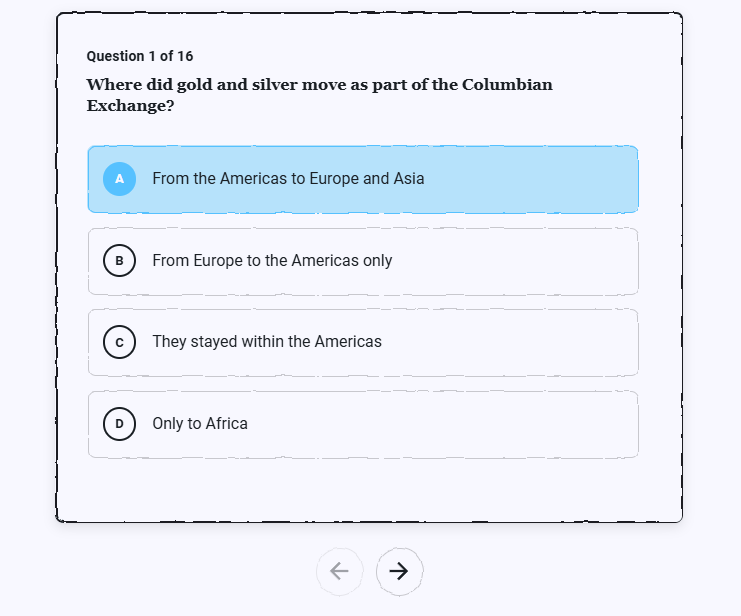 Scribby can now pull from hundreds of resources and distill their information down to a quiz format. The quiz can be used to test your or your students knowledge on any subject.
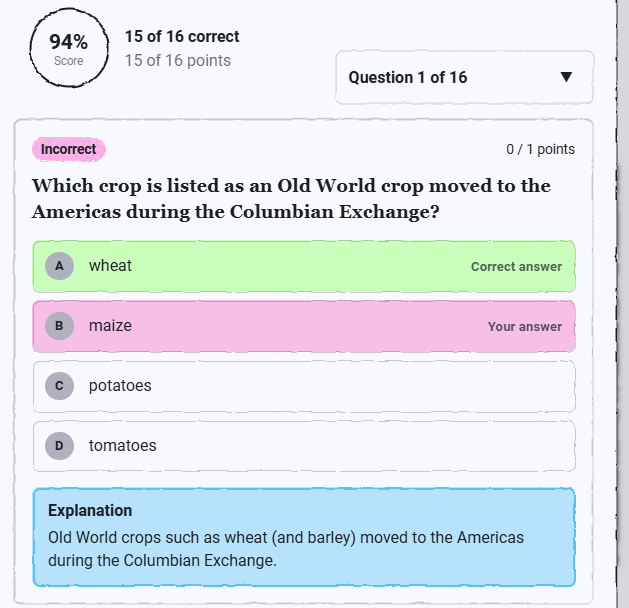 You can track your performance across runs and verions of the quiz. This performance can also be used to create new quiz questions so you can practice more on subjects you struggle with.
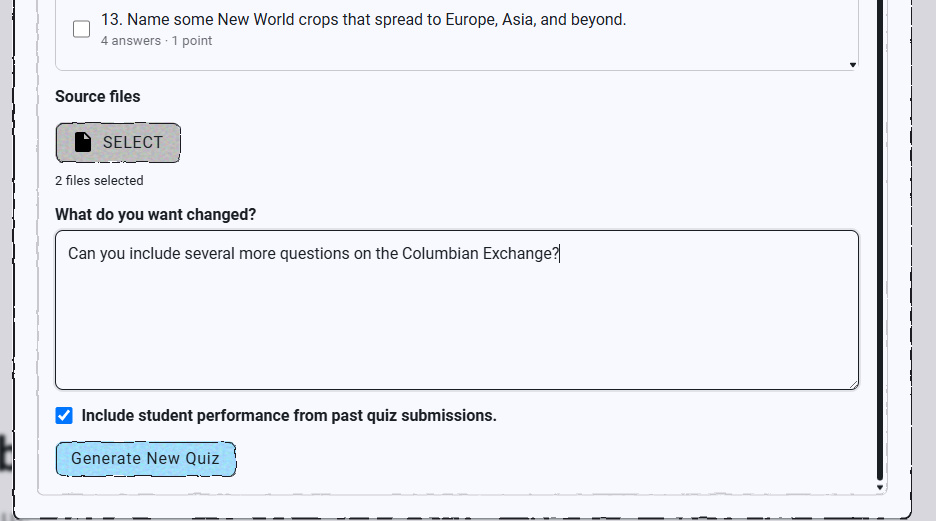 Noticing your students are struggling with polynomial operations on the most recent quiz? Ask Scribby to create more questions on the topic and to consider your students performance when crafting the perfect examples.
Sharing Groups
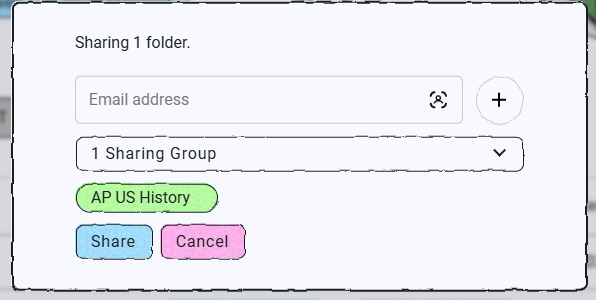 Sharing Groups are also being added. This will make it convenient to share with peouple you frequently collaborate with. Whether it is your study group or your students sharing is now way more conventient.
What's Next?
Do you like this change but want something more out of it? Feel free to reach out on Reddit, Discord, or contact us. I would love to get feedback from users like you to make Scribby great! In the next update, I would like to improve the UX surrounding the file directory.